Siemens NX
CAD Co-Pilot is an AI chat assistant built into Siemens NX as an add-in. Describe what you want in plain language and CoPilot carries out the work in your open part — sketches, features, drafting, assemblies, sheet metal and layers — reporting each step as it goes.
Installation
Run the Siemens NX CAD Co-Pilot MSI installer (the per-CAD installer for NX). Close NX before installing. After the installer finishes, restart NX so it loads the add-in.
Where to find CoPilot
CoPilot appears as an AI Co-Pilot ribbon tab and menu, with the commands Chat, Macros, Settings, Usage Stats and Help. Choose Chat to open the chat as a dockable window you can position anywhere in NX.

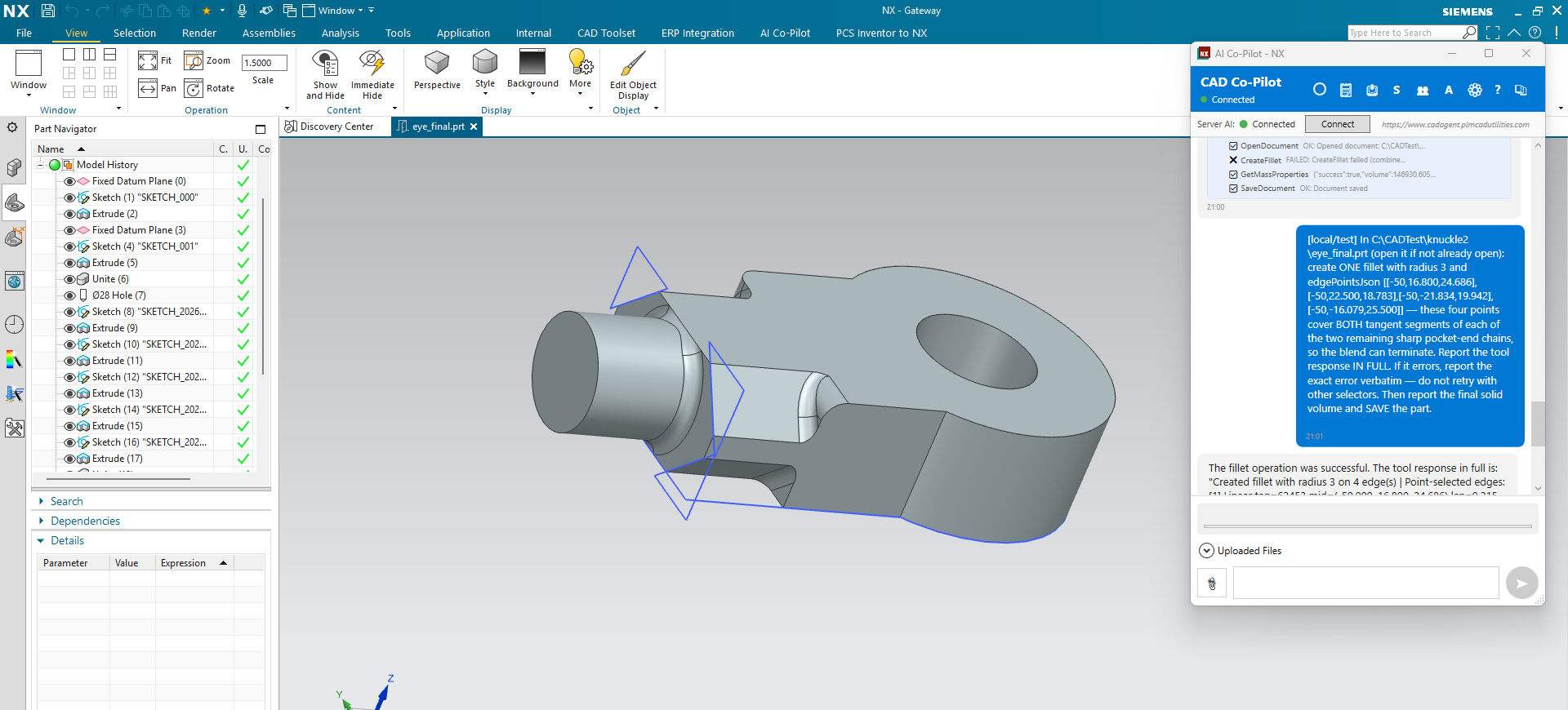
Your first prompts
Then move on to the worked examples in Part Modeling.
Three NX-specific habits
All geometry is in 3D world coordinates — including sketch curves. When you give a point for a sketch entity in NX, give the full world X, Y and Z. This is a genuine difference from the other three systems, where sketch coordinates are 2D and local to the sketch plane.
Set the work part before you edit. NX distinguishes the work part (what you are editing) from the displayed part (what you are looking at). If an edit lands somewhere unexpected, ask which is which.
Switch environment explicitly. NX has separate Modeling, Drafting, Sheet Metal and Gateway environments. Ask CoPilot to switch, and it reads back the environment that actually became active.
What CoPilot can do in NX
- Modelling — sketches, extrude, revolve, sweep, loft, fillet (blend), chamfer, hole, thread, shell, draft, boolean, split, patterns, mirrors, datum planes, axes, points and coordinate systems. See Part Modeling.
- Surfaces — offset, extend, trim, thicken, planar surface.
- Sheet metal — base flange (tab), edge and contour flanges, bends, hems, jogs, corner breaks, flat pattern and DXF export.
- Assemblies — add components, constraints, replace, ground, suppress, exploded views, BOM export and import, interference checks, cloning. See Assemblies.
- Drafting — sheets, views, dimensions with automatic value checking, notes, balloons, parts lists, centre marks, GD&T, weld and surface-finish symbols, plus layer control. See Drawings.
- Arrangements and part-family members — see below.
- Expressions — NX expressions are handled as parameters: list, read, create, change, import and export.
- Journals — record, run and store in the Automation Hub. See below.
Layers — an NX-only capability
Layer control from chat exists for NX and no other CAD system.
Arrangements and part families
An NX arrangement carries component position and suppression only. Dimension overrides on an arrangement are refused rather than silently ignored — use a part-family member for that.
NX has no per-variant custom-property scope. Properties belong to the part, not to the arrangement, so a BOM cannot vary a description by arrangement the way it can by a SOLIDWORKS configuration or an Inventor model state.
Journals
CoPilot can start and stop NX journal recording, run existing journals, and store them in the Automation Hub with named parameters.
CoPilot's own recorded macros are a different mechanism and work normally — see Macros.
Preferences
NX has the richest preference surface of the four systems, and CoPilot can read and set all of it:
- Session preferences — Sketch, Modeling, Drafting, PMI, Assemblies and more.
- Part preferences — Modeling, Drafting, Work Plane and more.
- Customer defaults — at user, group or site level.
Simulation and Teamcenter
NX exposes Simcenter structural analysis (linear static and modal) and a bridge that exports an NX Nastran deck for an external solver, and Teamcenter / NX Manager for data management. Both depend on how your NX session is configured, so probe before you plan around them:
Teamcenter must already be active in the NX session — CoPilot does not log you in separately, and it cannot log you out either; closing the NX session is how you disconnect. See Simulation & FEA for study setup.
Things that are not available on NX
- Trimming a body with a tool body, and face divide / delete / replace, are not implemented.
- BREP comparison between two parts is not available on NX.
- Coaxial and insert assembly constraints are not implemented as separate operations — use a concentric constraint, which is the reliable route.
- Native nesting — NX has no nesting API, so CoPilot's own nesting engine does the layout from exported flat-pattern DXFs.
- Curve projection onto a surface and CAM setup / toolpath generation are not available in any CAD system yet. NX's own CAM module is unaffected — this is only about chat-driven CAM.